> ## Documentation Index
> Fetch the complete documentation index at: https://ionet-cca8037f-confidential-compute.mintlify.site/llms.txt
> Use this file to discover all available pages before exploring further.
# Sign Up or Log In to io.net
## Create Account
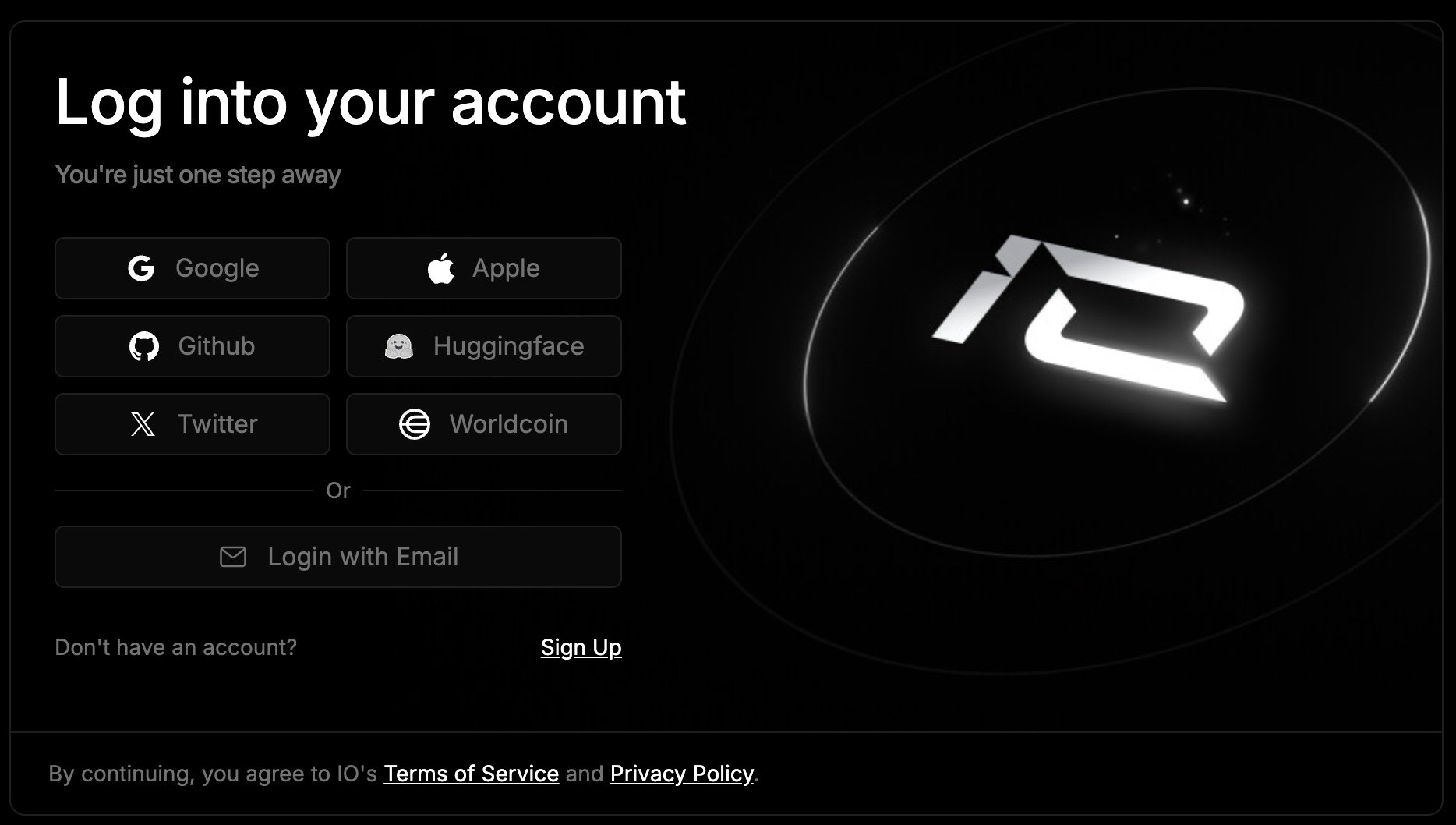
If you haven't created an account yet, registration on [id.io.net](https://id.io.net) is currently available through **Google**, **Apple ID**, **Github**, **Huggingface**, **X (Twitter)**, **Worldcoin** or **email address**.
 ### To get started
Choose your preferred method - Google, Apple ID, Github, Huggingface, X or Worldcoin and click the “**Sign Up**” button.
If you choose to sign up using your **email address**, you’ll go through a simple OTP (one-time passcode) verification process instead of creating a password:
1. Enter your email and click **Continue**.
### To get started
Choose your preferred method - Google, Apple ID, Github, Huggingface, X or Worldcoin and click the “**Sign Up**” button.
If you choose to sign up using your **email address**, you’ll go through a simple OTP (one-time passcode) verification process instead of creating a password:
1. Enter your email and click **Continue**.
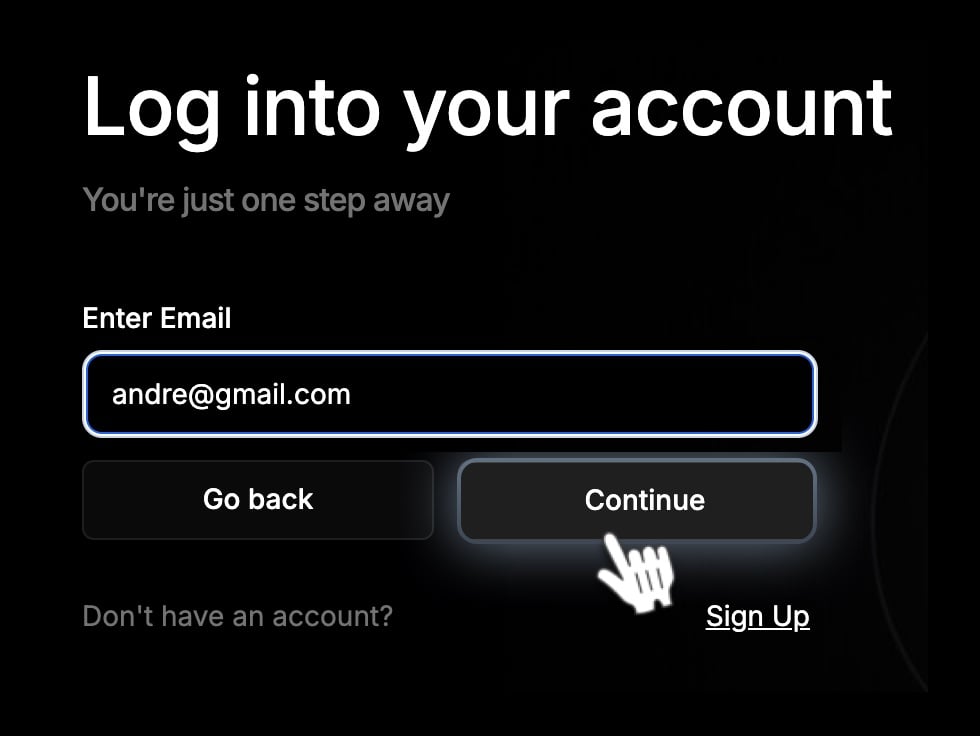 2. A **one-time passcode (OTP)** will be sent to your email inbox.
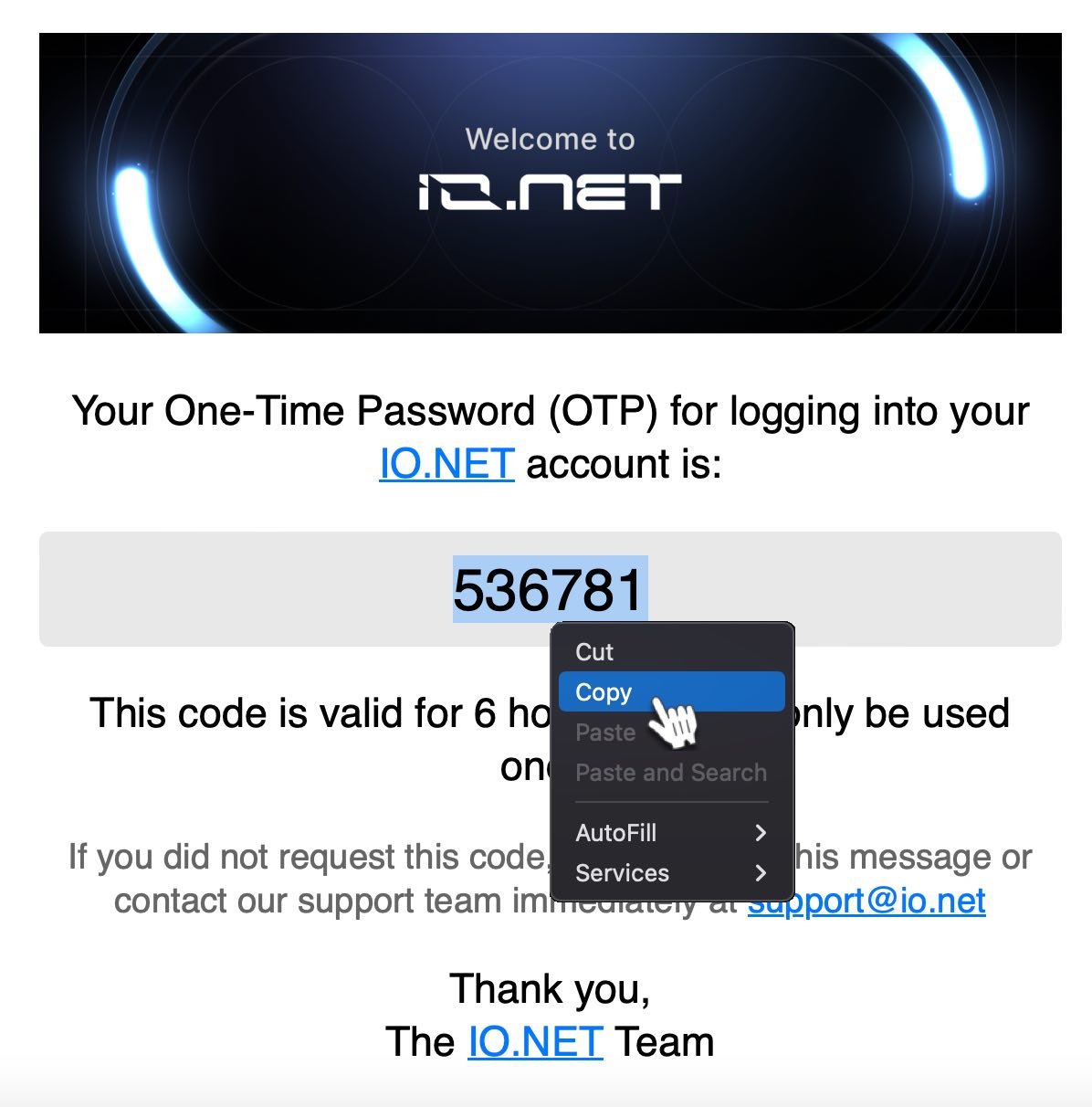
 3. Open the email from **io.net** with the subject “*Login to io.net*”, copy the large numeric code provided in the email.
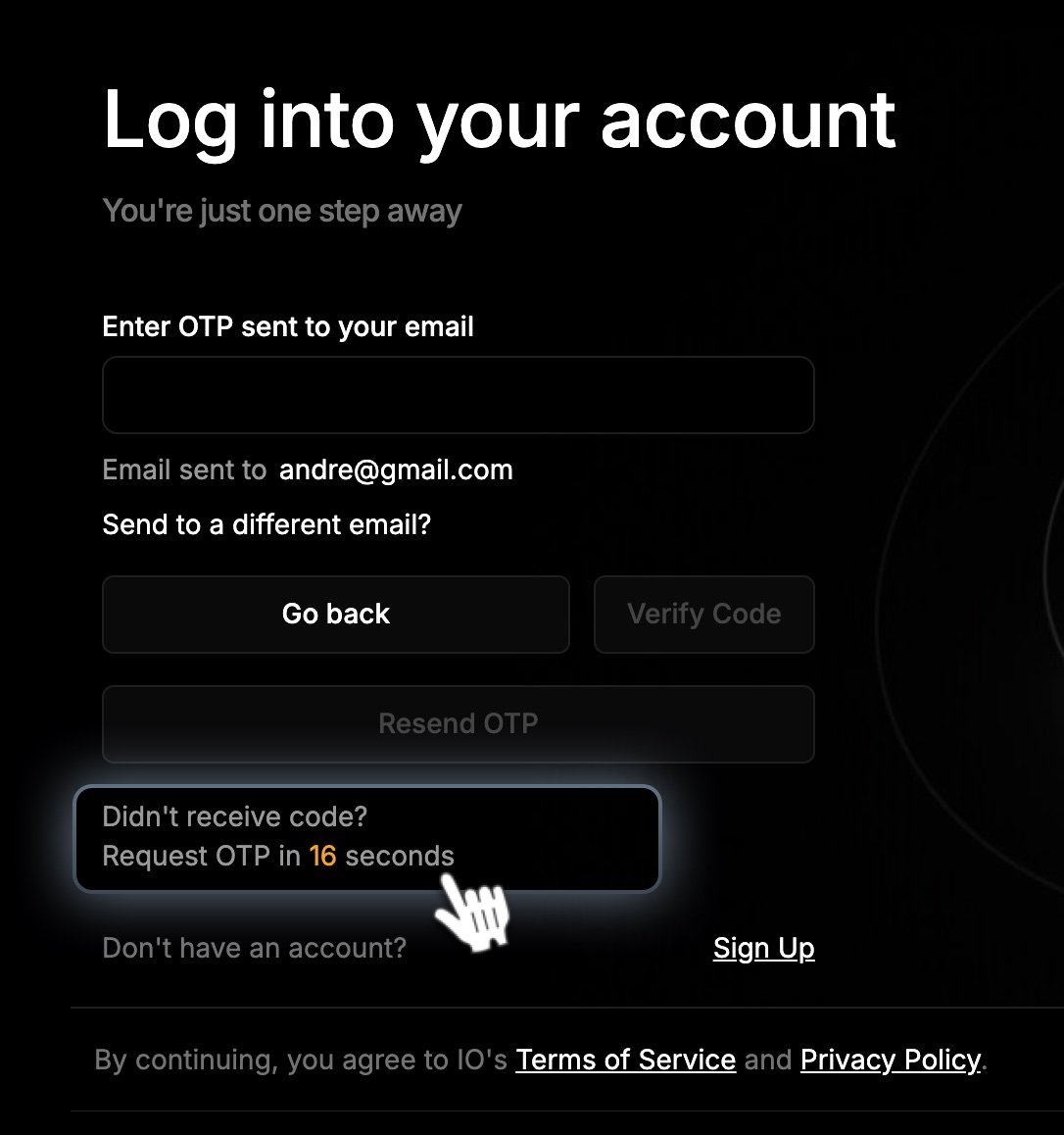
 4. Return to the io.net website, **paste the code into the verification field**, and click **Verify Code**.
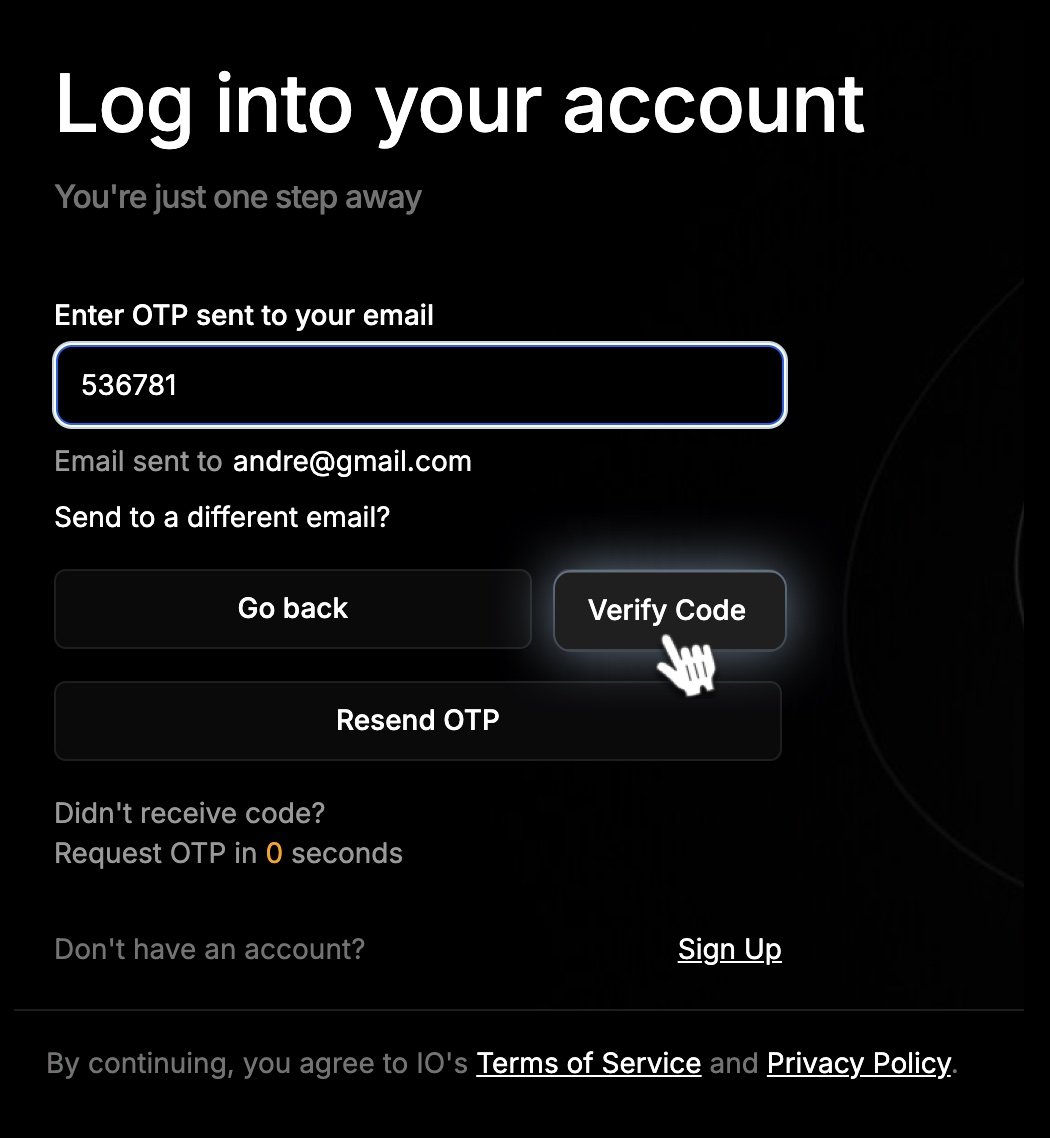 This method allows you to log in securely without needing to remember a password.
### If the email doesn't arrive:
* Check your **Spam** or **Junk** folder.
* Refresh your inbox after a few seconds.
* If still not received, wait **30 seconds** and click **Resend Code** to get a new OTP.
Once verified, your account will be created and you’ll be logged in automatically, ready to explore io.net’s services.
This method allows you to log in securely without needing to remember a password.
### If the email doesn't arrive:
* Check your **Spam** or **Junk** folder.
* Refresh your inbox after a few seconds.
* If still not received, wait **30 seconds** and click **Resend Code** to get a new OTP.
Once verified, your account will be created and you’ll be logged in automatically, ready to explore io.net’s services.